Reading Time: 2 minutes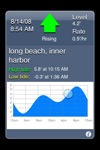 Tides don’t affect the breaks I surf all that much, but at my favorite spot, low slack tide (between low tide and when the incoming tide starts) is probably slightly better. That’s all the reason I needed to go out and plunk $95 on a new Quicksilver Moodak watch. Even though I carry my iPhone with me at all times and have the very capable and more informative TideGraph app.
The Moondak version I have is all black – including the screen and maybe I sound like a curmudgeon, but I’ll be damned if I can read it unless I find myself in close proximity to a 1million candlepower halogen light source. Another annoyance with the watch is the number of times I go to glance at the time, only to be in tide mode. The convenience of quickly checking the time is a frustrating 5 mode clicks away.
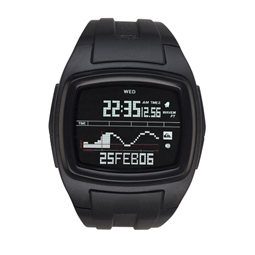
The Moondak is a good-looking watch which an abundance of features. Features like the lap and heat timer functions which are appealing to runners and surfers alike. The Moondak is also stylish enough that it can be worn out at night.
Consider the Moondak with the lighter face (it comes in different version, some much easier to read than mine) and if you have an iPhone, then by all means get TideGraph, it’s really good and the upcoming 2.0 version promises to be even better (including a map button that shows a satellite view of port in Maps app).
Posted by: Lawrence